LinkedIn Ad Library: what B2B advertisers reveal there
The LinkedIn Ad Library is LinkedIn’s free public archive of ads: search by company, payer or keyword and it shows every ad that ran on LinkedIn after 1 June 2023, kept for a year after its last impression. Impressions and targeting appear only for ads shown in the European Union.
| What you get | Ads shown outside the EU | Ads shown in the EU |
|---|---|---|
| Ad preview, format, advertiser, payer | yes | yes |
| Run dates (first and last impression) | no | yes |
| Estimated impressions and split by country | no | yes |
| Main targeting parameters, included and excluded | no | yes |
| Amount spent | no | no |
| Paid job posts | no, they are in a separate Job Library | no |
Data on 8 October 2026, from LinkedIn’s Help Center and our own session in the library.
LinkedIn ad library search: the three fields that matter
Section titled “LinkedIn ad library search: the three fields that matter”The LinkedIn ad library search has three text fields: Company or advertiser, Payer and Keyword, plus Country and Date filters. A “More” button adds two filters that work only for EU ads: impression range and targeting parameters. No LinkedIn account is needed for any of it.
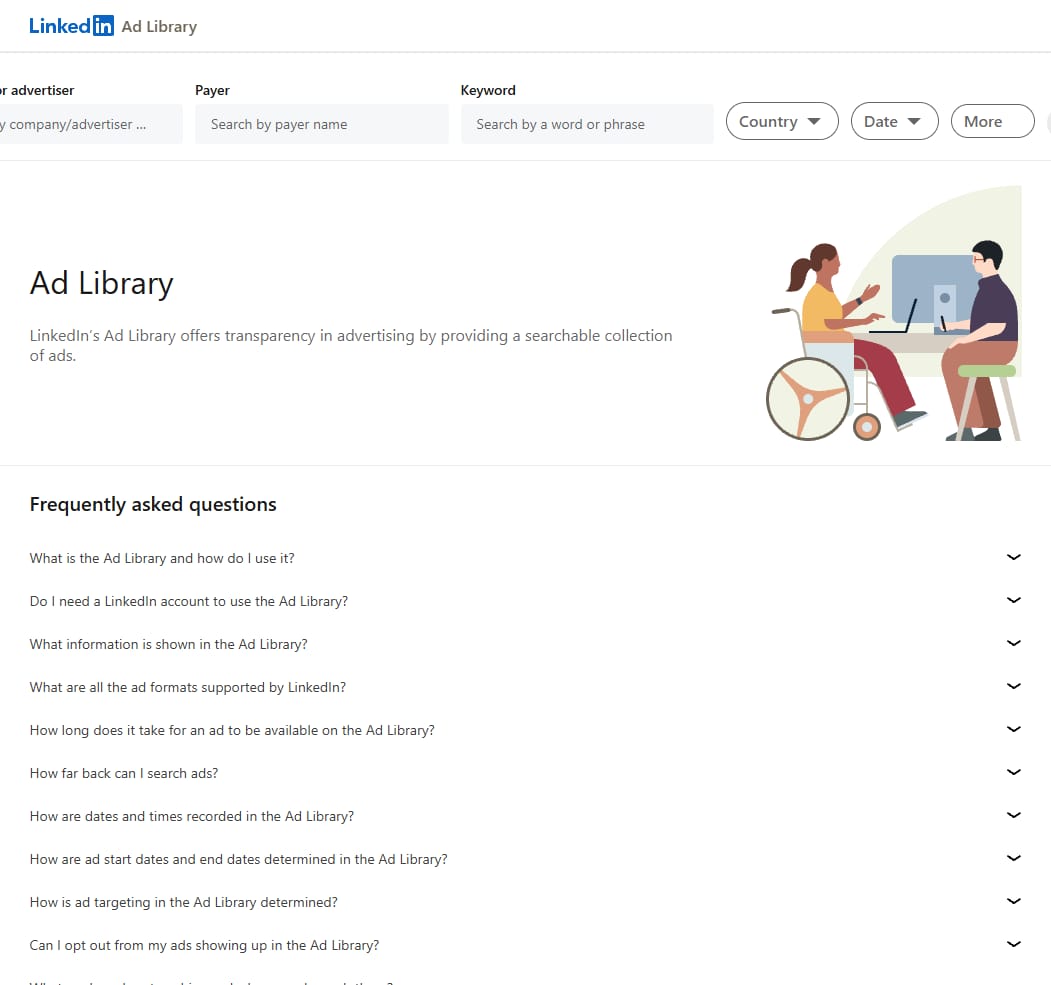
The Payer field is the one most people miss. It finds ads by the legal entity that paid for them, which catches campaigns run under a different page name, such as a regional brand page paid for by the parent company.
How to see the ads a company is running on LinkedIn
Section titled “How to see the ads a company is running on LinkedIn”To see every LinkedIn ad a company is running, type its name into Company or advertiser and press Search. A search for HubSpot returned 2,532 ads, sorted newest to oldest. Read the count with care: a name search also catches partner agencies whose page names contain the brand, such as “HubSpot Platinum Partner”, and posts by employees promoted by the company.

What the LinkedIn ads library shows for each ad
Section titled “What the LinkedIn ads library shows for each ad”For an ad shown outside the EU, the LinkedIn ads library shows very little beyond the ad itself. Our example, a HubSpot webinar ad aimed at Asia, came with three facts: the format (Single Image Ad), the advertiser and “Paid for by HubSpot, Inc.”. No run dates, no impressions, no targeting.
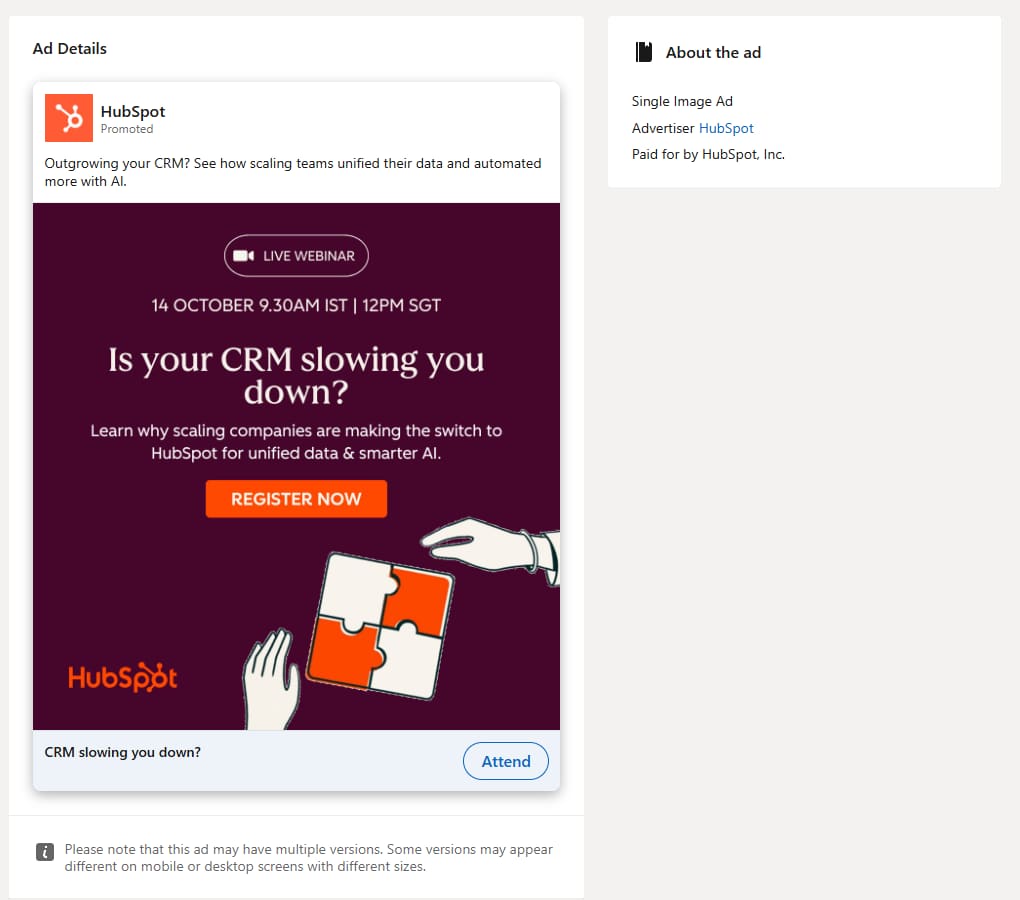
For an ad shown in the EU, the same screen adds the run dates, an estimate of total impressions with the split by country rounded to the nearest percent, and the main targeting parameters. LinkedIn’s help lists language, job, education, company, location, audience, age, gender, interests, predictive audiences and audience expansion, each marked as included or excluded. LinkedIn’s own FAQ describes this as the “top three targeting parameters”, so expect a partial picture rather than the full setup.
How long LinkedIn keeps ads and what is never in the library
Section titled “How long LinkedIn keeps ads and what is never in the library”LinkedIn keeps each ad in the Ad Library for one year after its last impression, and only ads that ran after 1 June 2023 are included. All dates are in UTC: the start date is the first impression and the end date is the last one. Advertisers cannot opt out, so a company cannot hide its LinkedIn ads from the library.
Three things never appear. Paid job posts live in a separate Job Library. Restricted ads appear without the preview, the advertiser name and the payer name. And spend is not documented anywhere, for any ad, in any country.
LinkedIn ad library API and scrapers
Section titled “LinkedIn ad library API and scrapers”The LinkedIn Ad Library API is a vetted product. You request it in the LinkedIn Developer Portal, fill in an access form and accept the LinkedIn Research Tools Program terms; it needs a 3-legged OAuth member token, it is rate limited and it is meant for research and non-commercial use. LinkedIn documents no export or CSV download from the web library, which is why third-party scrapers exist.
Where the LinkedIn Ad Library stops
Section titled “Where the LinkedIn Ad Library stops”For B2B competitor research the LinkedIn Ad Library has two hard limits: no spend for any ad, and no dates, impressions or targeting for ads shown outside the EU. If your competitors advertise mainly in the US, you will see their creatives and payer, and nothing about scale.
Paid ad-intelligence tools that cover LinkedIn exist, but coverage is usually a premium feature. PowerAdSpy lists LinkedIn among its 11 networks, but in its in-app plans page on 8 October 2026 all 11 networks came only with its top plan. Spytrend, which the team behind this site publishes, covers Facebook and TikTok and not LinkedIn. For Google’s equivalent, see our Google Ads Transparency Center guide.
Is the LinkedIn Ad Library free?
Section titled “Is the LinkedIn Ad Library free?”Yes. The LinkedIn Ad Library is free and you do not need a LinkedIn account to browse it. Anyone can search it by company, payer, keyword, country and date. Only the Ad Library API needs a LinkedIn developer application, and LinkedIn vets those requests for research and non-commercial use.
Is there a LinkedIn ad library?
Section titled “Is there a LinkedIn ad library?”Yes. LinkedIn runs a public ad library at linkedin.com/ad-library. It covers ads that ran on LinkedIn after 1 June 2023 and keeps each ad for one year after its last impression. Advertisers cannot opt out of it, so every company that ran ads in that window can be looked up.
How do I see the ads a company is running on LinkedIn?
Section titled “How do I see the ads a company is running on LinkedIn?”Open linkedin.com/ad-library, type the company name into the Company or advertiser field and press Search. The LinkedIn Ad Library lists every ad from that advertiser, newest first; open View details on any ad to see its format, advertiser and payer, and for ads shown in the EU also impressions and targeting.
Does the LinkedIn Ad Library show ad spend?
Section titled “Does the LinkedIn Ad Library show ad spend?”No. The LinkedIn Ad Library documents no spend data at all. For ads shown in the European Union it adds estimated impressions, the split of impressions by country and the main targeting parameters; outside the EU it shows only the creative, the format, the advertiser and the payer.
Are the LinkedIn Ad Library and LinkedIn Ads Manager the same thing?
Section titled “Are the LinkedIn Ad Library and LinkedIn Ads Manager the same thing?”No. LinkedIn Ads Manager is where an advertiser creates and runs its own campaigns and sees its own results. The LinkedIn Ad Library is a public, read-only archive of other companies’ ads that anyone can search without an account and without spending anything.